A Passport Photo App That Runs in Your Browser — No Download Required
Most passport photo mobile apps require downloading heavy software, creating an account, or locking your photo behind recurring subscriptions. AbhiVisa works directly inside your mobile or desktop browser on iPhone, iPad, Android, Mac, and Windows with no installation required.
How to Use the Passport Photo App on Your Phone
- Take a Photo: Stand 1.5 to 2 meters away from a plain wall with natural window lighting facing you. Keep a neutral expression and your eyes open.
- Upload to the Web App: Open AbhiVisa on Safari, Chrome, or any mobile browser and upload your photo.
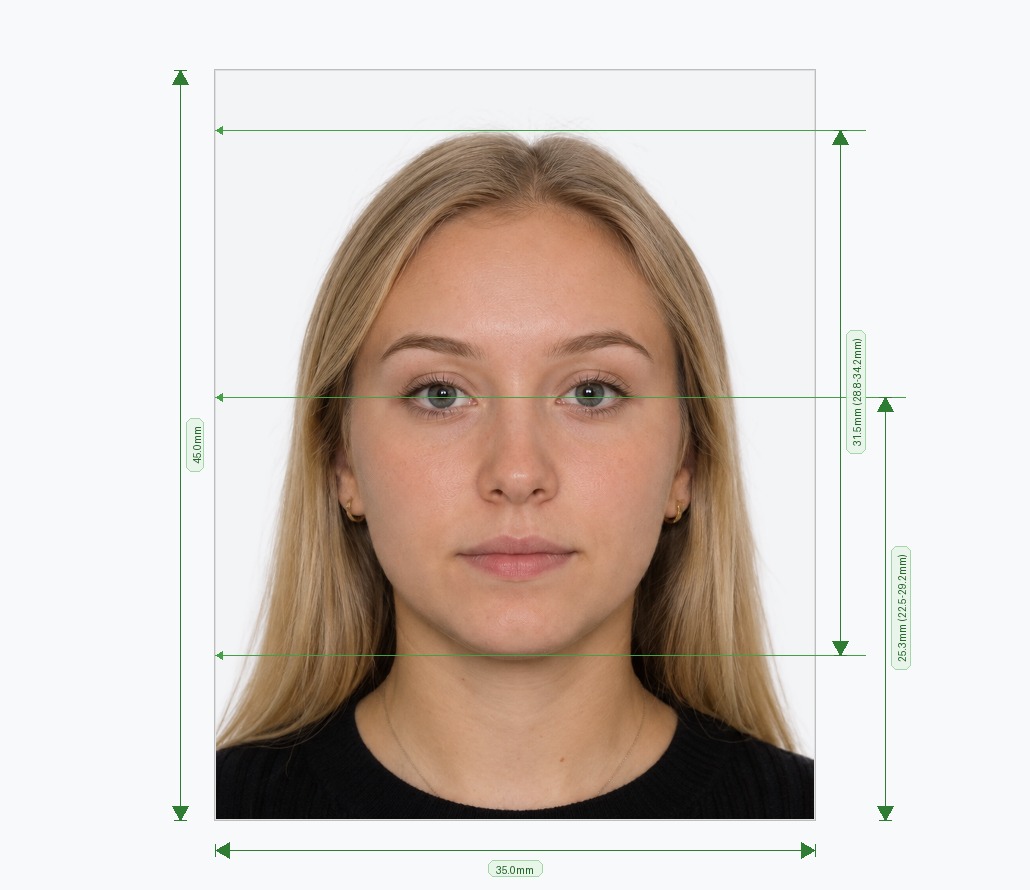
- Automatic AI Processing: The app detects your face, removes the background, aligns your head to official biometric requirements, and verifies lighting and resolution.
- Save Your Photo: Download the digital file for online passport or visa submissions, or a 4×6 print template with 4 to 6 photos.
Why Choose Our Browser-Based App?
- No App Store Downloads: Nothing to install; works on any smartphone or computer immediately.
- Works on All Devices: Fully responsive interface designed for mobile Safari and Android Chrome.
- AI Background Removal: Automatically replaces messy rooms or shadows with official white, cream, or light grey backdrops.
- Biometric Landmark Detection: Positions head and eye height precisely to meet government requirements.
- 50+ Country Presets: Pre-configured with official specs for the US, UK, Australia, Canada, Schengen, India, and more.
Avoid Passport & Visa Photo Rejections
Our automatic tool prepares common crops and formats (such as 2x2" or 35x45mm) for review. Compare the result with your issuing authority's current rules before submitting.
Create & Fix My Photo NowExact Country SizesBiometric Check